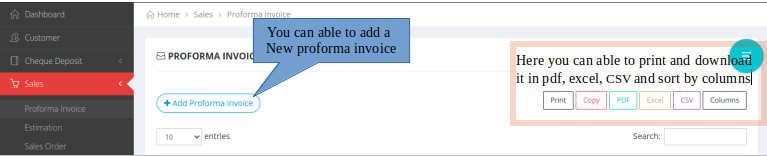
Adding proforma invoice
- Home
- sales
- proforma invoice
A proforma invoice is a preliminary document sent to a buyer before a sale is finalized. It outlines the details of the transaction, including the products or services being offered, prices, terms, and conditions, but it is not a demand for payment.

×
- Procedures to Add the proforma invoice
- 1. Select the customer details.
- 2. Select the sales man.
- 3. provide the subject detail.
- 4. select the product, rate and tax details in the same row.

×
- 5.Click on the Create Proforma Invoice Button, the proforma invoice will get generated now.

×
- Icon Description
- Click on the Green colour plus symbol to view the action buttons.
- can able to view and delete the proforma invoice.