Estimation creation
- Sales
- Estimation
Estimation module is faciliated with adding new estimation, downloading the estimation details in various formats like pdf, excel,CSV and can also able to sort by columns name.
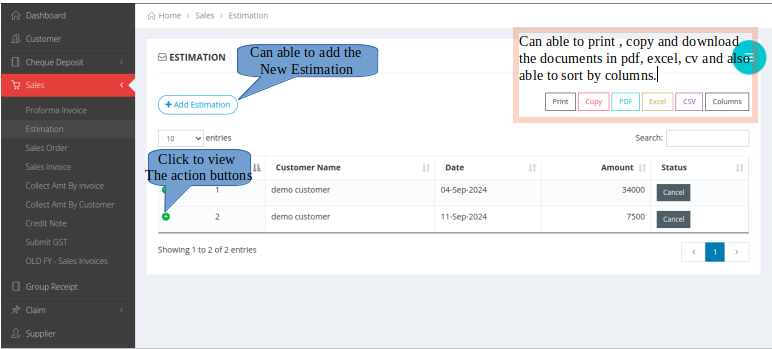
- Procedure to Add New Estimation
- Click on the Add Estimation icon.
- There you can provide the necessary details.

×
- Procedures to be followed
- Provide all the details, according to the numerical order.
- If you want to add new item, click on to the Add item button.
- If you want to cancel the item, click on to the red colour X button.

×
- ICONS DESCRIPTION
- 1. Click the eyes icon to view.
- 2. Click the covert symbol to convert the estimation to sales order.
- 3.Click the X symbol to cancel the estimation.