Sales order by Date
- Home
- Sales
- Sales Order Date
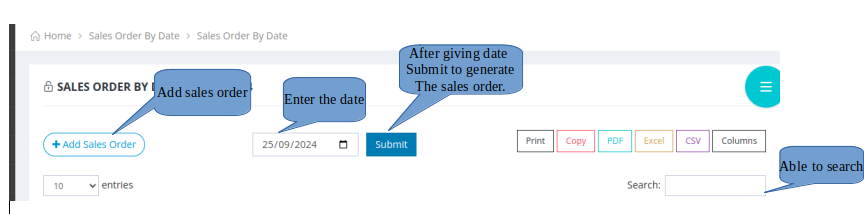
Here also you can able to add the sales order.
- PROCEDURE TO ADD THE SALES ORDER.
- 1 . Click on the Add new sales order , that will create the new sales order.
- 2.You can also able to generate the sales order and view according to the date by selecting the date.
- 3.Click on the submit button. The sales orders on the specific date will generated.
- 4. You can also able to search in the search box.