Brand
- Login
- Master
- Brand
- +Add Brand
The brand feature allows users to create, manage, and categorize brands within the software. This functionality is essential for businesses that need to organize their product offerings by brand.
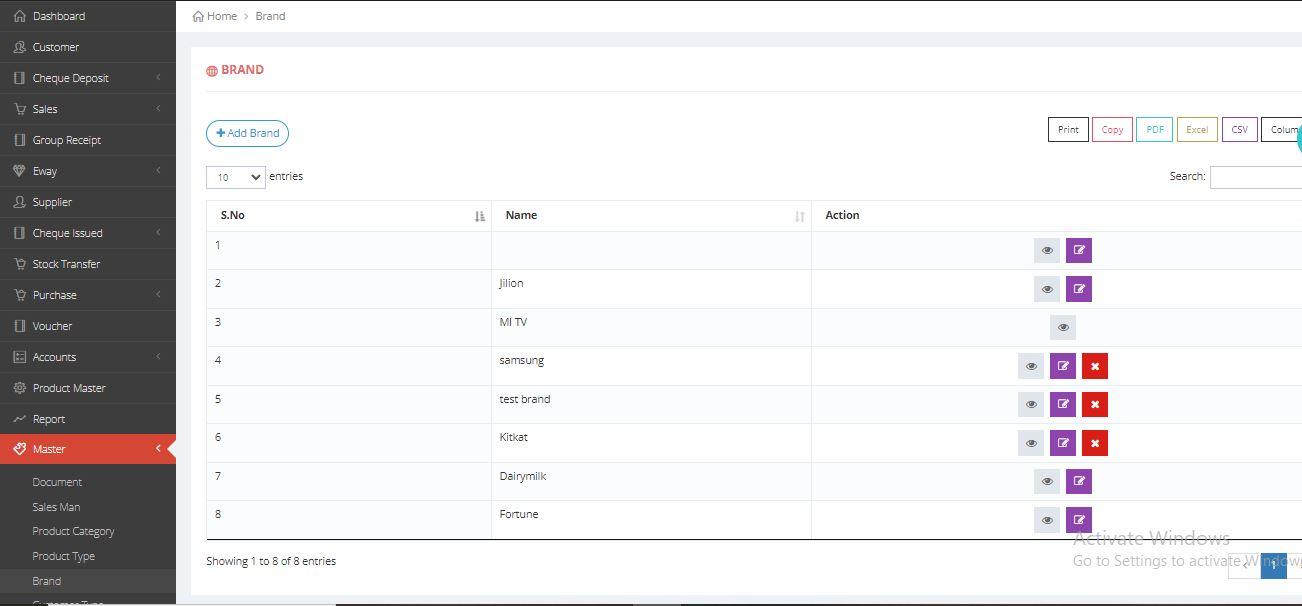
Adding the brand in the Master
Adding the Brand
The following methods will demonstrate how to add a brand using both images and text.
- IMAGE REPRESENTATION

×

×
- TEXT REPRESENTATION
- 1. Click on the +Add Brand button to add a new Brand.
- 2. Provide the necessary details.
- 3. Click Submit to add new Brand.