Add or Adjust product
- login
- product master menu
- Add/Adjust product icon
The Add/adjsut product icon in the product master will helps you to add or adjust the product name and quantity.
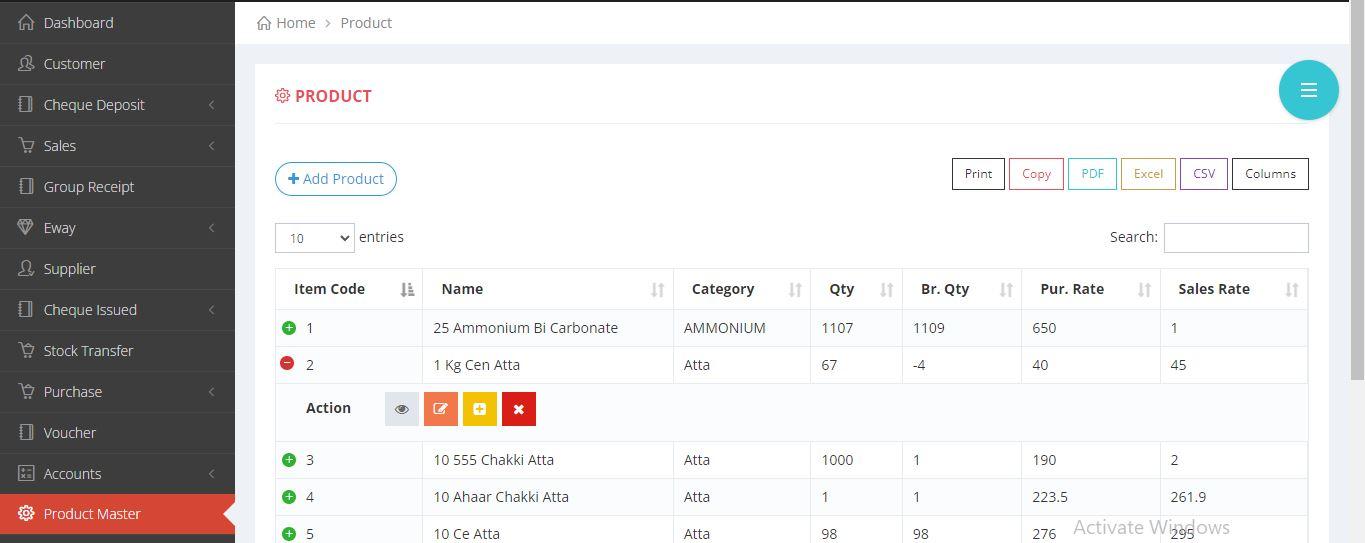
- The following ways will explain you to add/adjust the product.
- IMAGE REPRESENTATION

×

×
- TEXT REPRESENTATION
- 1. Login to equalside.in
- 2. Click on the product Master Menu.
- 3. Click the green colour + icon.
- 4. Click the add/adjust icon.
- 5.Provide all the necessary details * fields are mandatory.
- 6. Finally, click on the submit button.